
Before I forget how I got here...
I’m not sure if this is a blog post, a journal entry, or a personal time capsule.
Everything in the world of AI and agentic coding is moving so fast.
So, before all of this fades in my memory I wanted to take some time to document my journey with vibe coding as illustrated by the tools I use daily as a software engineer.
How it started
I have been a very heavy terminal user for decades. My mom still jokes about my using a terminal on her Mac to figure out a problem for her. She asked what the terminal was, and I responded, “this is where I live”. It was a tongue in cheek remark, and it’s also kind of true.
As a terminal user I have invested years of my life into crafting dotfiles and curating my tools. My first personal vibe coding project was to build plonk, which is my personal take (to add to the hundreds of other personal takes out there) on what dotfile and package management should be.
But I digress. My point is that I used the terminal almost religiously.
So, when I tell you that my first real foray into agentic coding was using VSCode you will hopefully understand how much I was taking a leap away from my preferred mode of working to explore agentic coding.
Why was I willing to take this leap? Honestly? Annoyance. I was getting tired of reading AI hype posts so I set out (again) to disprove AI’s value. The opposite happened.
Instead of finding AI painful and slow to work with I found that it was shockingly good at repetitive tasks that are very difficult to perform as regex. So, Github Copilot in VSCode became my main development tool by slipping in the side door.
What else can this thing do?
I spent a couple of weeks uncomfortably using VSCode. (I always find IDEs do things their way, and I like doing things my way, which is why I customize the hell out of my terminal). The problem was the same as ever with IDEs. I always need something from the command line, and the stupid mini-terminals are just pure junk when you have a lovingly crafted shell environment a click away.
So, I spent some time, probably too much time, playing with integrating github copilot into my Neovim configs. (There are about half a dozen plugins for this, so you have some options). The problem was that there was no polish. Sharing context between my working code and the agent just seemed… hard. Whereas my experience using copilot (especially with Claude Opus 4, at the time) was getting so good I was telling it to build me scripts to automate tasks that I previously would have done by hand, because they were tedious, but not things I expected to repeat. Having the coding agent create automations for me that I could run and inspect felt like a revelation. Little did I know that Claude Code was about to bring me back to my terminal.
Claude Code Release
I’d love to claim I was one of the first adopters of Claude Code. I was not.
I found Claude Code through a co-worker who had heard me raving about how productive the copilot technology had become. He casually mentioned Ollama and Claude Code to me in the same week. With the expertise of decades I promptly chose to explore Ollama for its local inference capabilities. What I found was disappointing, even with Aider, which seemed like a pretty cool idea. After a couple of weeks of sunk time I decided to pay for a Claude Code $20 plan to give it a try.
By the end of the weekend I was paying for the $200 plan, and in several days I had built plonk, my dotfile and package manager, which I am still using today.
AI Coding Agents
Claude Code was the only game in town for about a month (fact check me if you want, I didn’t bother). Then we started getting TUI coding agents from every possible provider. Here’s a list of the ones I have tried as of this writing:
- Claude Code
- Codex CLI
- Gemini CLI
- Cursor CLI
- AmpCode
- Aider
- Goose
Returning to the terminal
Claude Code, being a TUI app, gave me all the impetus I needed to ditch VSCode and happily drop back to my terminal.
This was a delight for me, but I quickly ran into a problem. My main way to use a terminal for nearly a decade has been primarily through Neovim. My neovim config ran to thousands of lines, and I had a plugin for everything. So, I configured a custom terminal window to expand from the right side of my screen to display Claude when I wanted it and I went back to work.
A weird thing started happening. After a couple of weeks of this I found that
I was spending the bulk of my time in my Claude Code window, and less and less
time in Neovim. In fact, for the first time in years, Neovim was starting to
feel bulky and complicated. Naturally, for a tinkerer, I decided the problem
must be that I had outgrown Neovim and needed a different tool. I tried Emacs
for the 50th time to find that I still don’t like Emacs (personal preference,
not trying to start a riot). So I dug around and found Helix. I adopted Helix,
which is very vim-like, but with the action->select pattern reversed, e.g. in
vim cw is used to select and change a word, in helix it’s wc and the selection
always highlights the thing that will be acted on. It took a while to get used
to, but I was able to switch to helix, and dump my massive neovim config for a
drastically smaller helix config. If I’m honest, my helix config could be
about 3 lines, but I just can’t help myself.
Zellij and the shape of my terminal
Returning to my terminal, and ditching neovim meant that I wanted a way to keep my sessions better managed. I had used tmux for this for years, but I’d been hearing whispers about this new kid on the block called Zellij, and I decided to give it a try.
I fell in love with Zellij, and I fell hard. Zellij made my terminal window into a persisted desktop. Yes, almost everything Zellij can do Tmux can do, but Zellij is prettier, easier to use, easier to configure, and it has floating panes.
For the next 6 months Zellij became my main interface.
What’s more interesting to me is how the layout of my Zellij terminals changed.
Initially, I would open a Zellij tab for a directory. On the left side of my screen was Helix and on the right was lazygit (top) and Claude Code (bottom). I would edit code, or look through code in helix, then ask Claude to change things and use lazygit to make sure it only changed what I expected. (It turns out that lazygit is a great way to watch what AI coding agents are doing in real time, normally their output scrolls too fast, but having a view of what has changed can be quite nice).
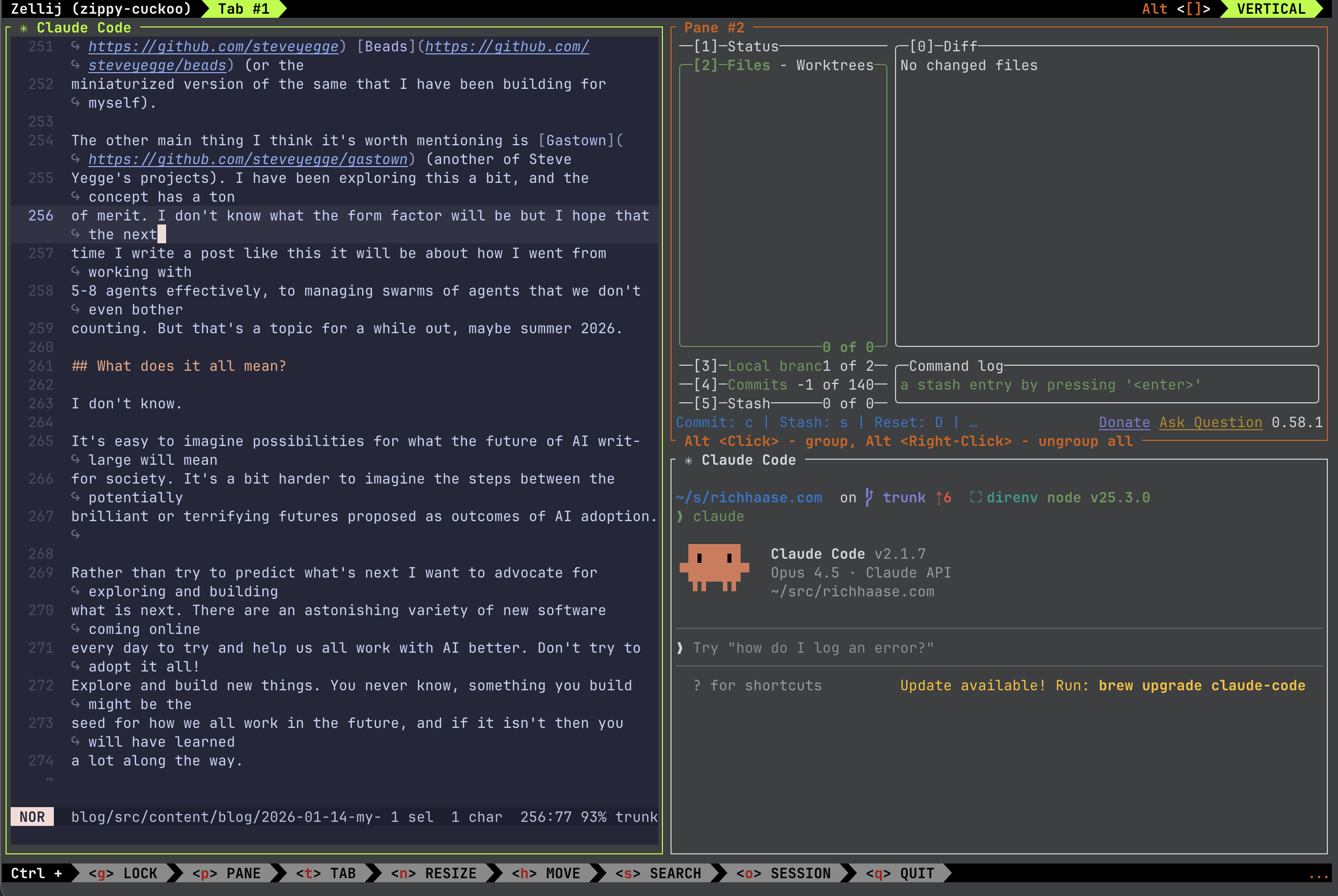
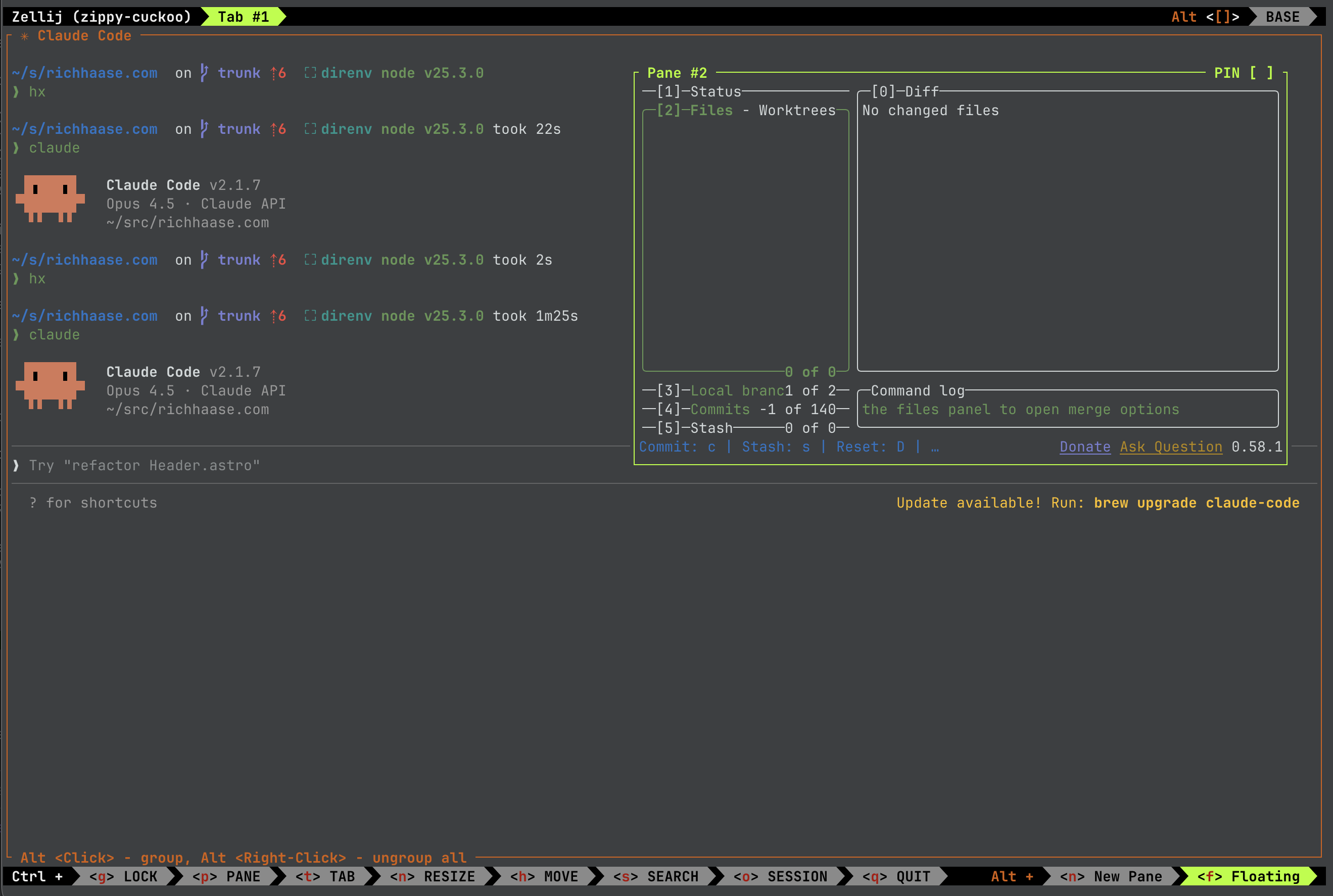
Over the next couple of months from about June to September my default layout started shifting. It started terminal centric, then it became AI agent centric, and even multi-agent centric. Pretty soon the main thing on any screen in my Zellij sessions was a coding agent.
“You’re absolutely right!”
Around late summer into early fall Claude Code went from my best new friend to a useful frienemy to my mortal enemy. I also discovered a new way of working that I like to call “Expletive-driven Development”.
The practice of “Expletive-driven Development”
Expletive-driven Development, EDD, is a new way of programming using agentic coding tools. The practice is simple:
- Give an AI Coding agent a reasonable and seemingly well defined task.
- Watch the agent carefully and precisely delete half your repo, then cheerfully claim completion.
- Send questions asking why the agent saw fit to destroy your repo only to receive a message beginning with “You’re absolutely right!” and followed by some delirious ravings of a friendly but concerning madman.
- Ask more pointed questions to try and figure out what went wrong, receiving placatory responses all the while from the cheerful AI.
- EDD. This is the point where you give up your own sanity in hopes of finding common ground with the AI, which immediately devolves into swearing at the AI, because the truth is, friends, that you can’t out-crazy a hallucinating AI.
It was during this period of time that my productivity with AI tools fell off a cliff. Seriously, if you were using claude during that time and you were getting usable results then please email me and tell me how you did it. Seriously.
So, I discarded my new daily driver, Claude Code, in exchange for a Codex.
I didn’t land on Codex immediately. I tried a bunch of other options, my favorite for a time was AmpCode, which had an oracle supervisor feature that let you confidently burn tokens at an astonishing rate to me at the time. I eventually landed on Codex for two reasons: 1) I had a free subscription through work, so I was able to use it more frequently than others, and 2) it helped me solve a problem I’d been fighting with Claude over for days in a matter of hours. (I don’t even remember the details of the problem. Something with the OpenAI Agents SDK, Claude didn’t know about it in the training data, and by the time I loaded context about the API I needed, Claude would suggest using another API.) The point is I found that Codex was better for one case than Claude, which kicked the door open for me to wonder what else it was better at.
Codex is king
Switching from Claude to Codex was jarring. At the time, Codex CLI was very new. It didn’t have any of the polish (couldn’t even copy screenshots for quite a while), but it hallucinated far less in my use cases than Claude, so I put up with the shortcomings.
Codex was my daily driver for the better part of 2 months, which is practically an epoch in Agentic Coding timelines.
During this time I continued to try and polish my workflows. I became convinced that two things were true: 1) well crafted reusable prompts are like the shell scripts of AI, and 2) working with more agents is the future. So, I started crafting prompts for anything I could that seemed like a repeated task. (I use 1 prompt regularly still from that period, but hundreds were discarded.) I also started spending more and more time crafting my zellij environment.
It seemed to me that the workflows I needed required an actor (AI or me), change review (some way to see what’s happening and inspect it), and a way to switch to contexts needing attention. The actor was easy, it’s generally my AI coding agent, and the change review was easy enough to do with lazygit for real-time, and then GH PRs in draft mode to help review more thoroughly before making ready for review. The tough bit was figuring out how to get to the agents that need my attention in a timely manner. So, being the tinkerer I am I built a Zellij plugin called Maestro for helping me launch and jump to agents in given directories.
Maestro
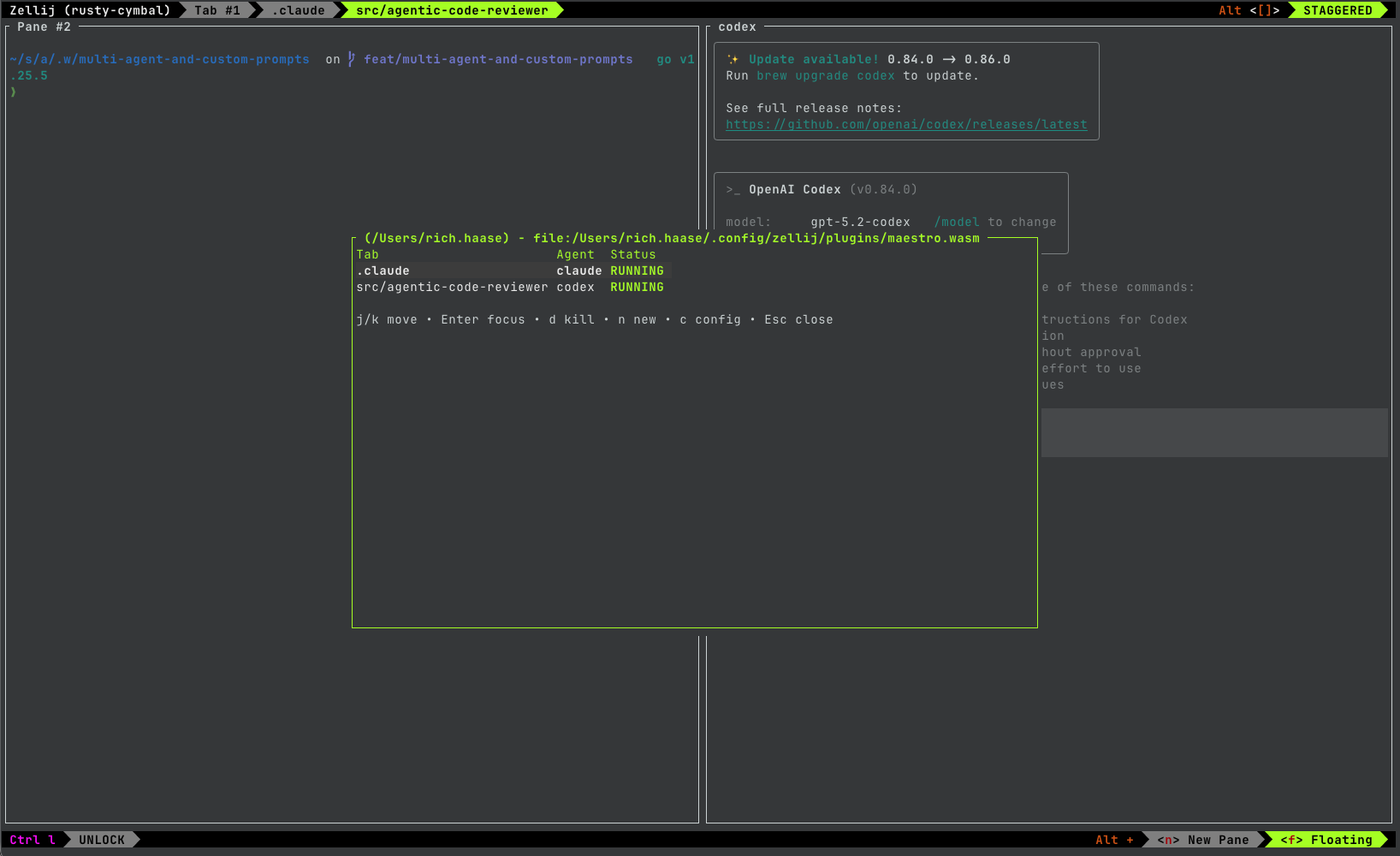
The maestro plugin felt like a eureka moment for about 2 weeks. I was enamoured with the ability to quickly summon a dashboard of where all my agents were running, and launching new agents, but I still didn’t know when agents needed my attention. I had AI agent notifications that would pop up on my desktop telling me someone needed attention. This worked pretty well, but I was dreaming of something more seamless that I still can’t totally articulate. Getting popups is my best bet for the moment because I can determine if they need immediate attention, or not.
Finding the limits of what maestro could do for me also started exposing what I now think is a fundamental flaw in my workflow. Persistence. I used Zellij, or Tmux, because my work and the context I needed tended to span multiple days. Returning in the morning to a Zellij session with all the panes I needed for reference, or code, or tools, etc. was important. That dynamic doesn’t exist for me anymore. I have started to treat my terminal sessions, or AI coding sessions as cattle not pets. The context around active work is the thing that needs to persist now, and that is a whole different blog post. The important point is that long running terminal sessions don’t have the same value they used to.
Today
Here’s where I am today.
I stopped using Zellij this week to see if I missed it. I had come to realize that I was using it to do two things: 1) run a coding agent (mainly Claude, Opus 4.5 brought me back), or 2) doing something in the terminal to quickly check on or provide information to a coding agent. These tasks started to feel more natural as separate terminal windows that I could switch between, so I’m giving it a shot.
I have been playing with Ghostty’s quick terminal as analogy for how I used floating terminals in Zellij. Overall, this seems to be working thanks to changes in the way I track work with LLMs using Steve Yegge’s Beads (or the miniaturized version of the same that I have been building for myself).
The other main thing I think it’s worth mentioning is Gastown (another of Steve Yegge’s projects). I have been exploring this a bit, and the concept has a ton of merit. I don’t know what the form factor will be but I hope that the next time I write a post like this it will be about how I went from working with 5-8 agents effectively, to managing swarms of agents that we don’t even bother counting. But that’s a topic for a while out, maybe summer 2026.
What does it all mean?
I don’t know.
It’s easy to imagine possibilities for what the future of AI writ-large will mean for society. It’s a bit harder to imagine the steps between the potentially brilliant or terrifying futures proposed as outcomes of AI adoption.
Rather than try to predict what’s next I want to advocate for exploring and building what is next. There is an astonishing variety of new software coming online every day to try and help us all work with AI better. Don’t try to adopt it all! Explore and build new things. Agentic coding makes it cheap and easy to try out ideas and discard them when they don’t work. Take advantage! You never know, something you build might be the seed for how we all work in the future, and if it isn’t, so what?! I promise you will have learned a lot along the way.